Introduction
MQTTX Desktop is an open-source MQTT 5.0 client from EMQ for macOS, Windows, and Linux. Its chat-style interface supports multiple connections and subscriptions over TCP, TLS, and WebSocket, with MQTTX Agent for connection setup, messaging, and troubleshooting in natural language.
Download the latest release from the website or GitHub, or build it from source. Report problems and suggestions in GitHub issues; fork the project and submit a pull request to contribute.
Choose a client
- MQTTX Desktop: a graphical client for interactive debugging, message analysis, and the built-in MQTTX Agent. This guide covers the desktop app.
- MQTTX CLI: a command-line client for publishing and subscribing, shell pipelines, automated tests, benchmarks, and IoT data simulation.
- MQTTX Web: a browser client that connects over WebSocket. Use the online client or host it yourself with Docker.
Preview
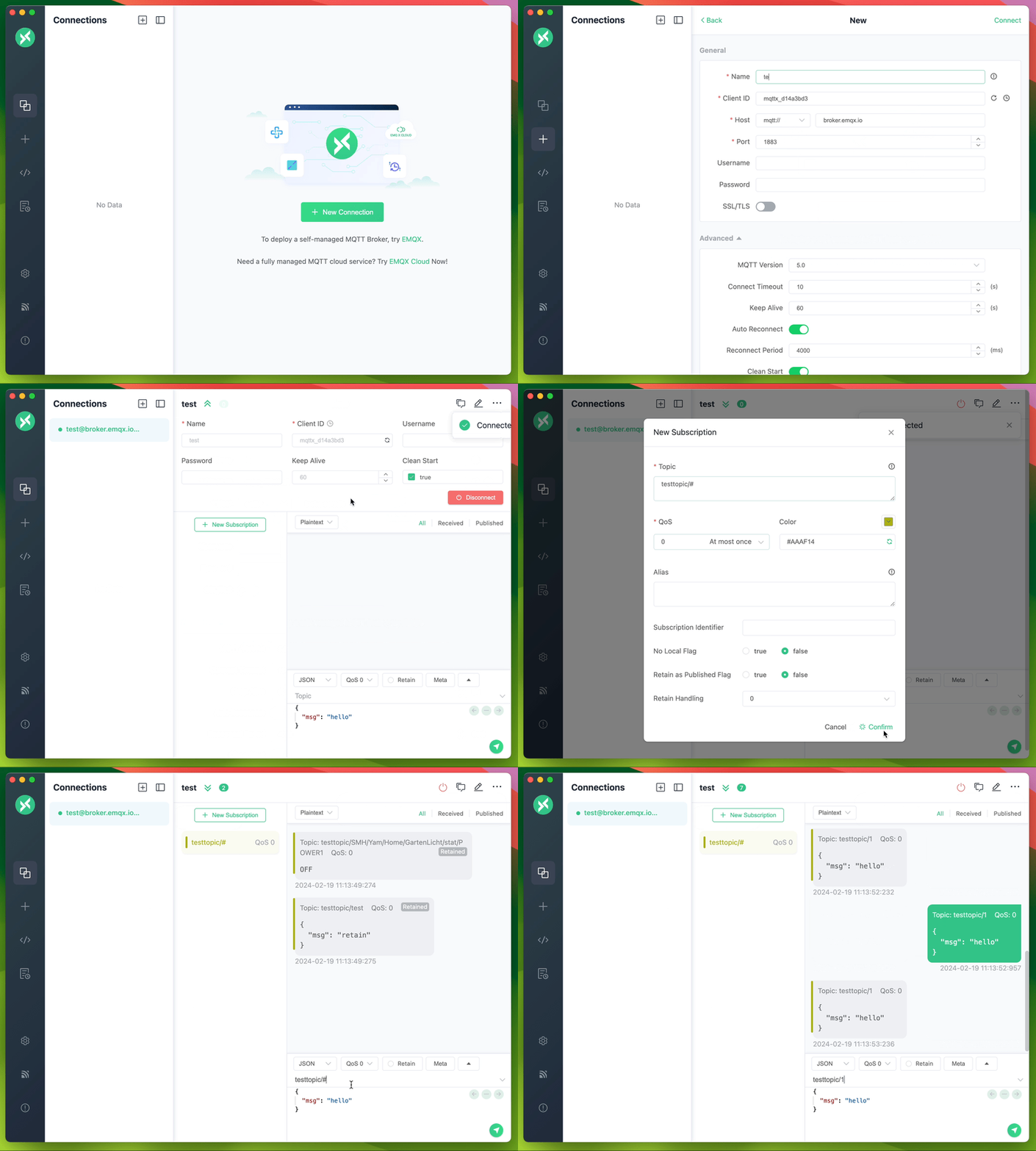
Desktop Features
- Chat-style interface for sending and receiving MQTT messages
- Runs on Windows, macOS, and Linux
- Fully compliant with MQTT 5.0, 3.1.1, and 3.1
- MQTT 5.0 user properties on connect, publish, and subscribe, plus SCRAM enhanced authentication
- One-way and two-way SSL/TLS authentication
- MQTT over WebSockets
- MQTTX Agent for operating MQTTX in natural language: it creates connections, subscribes and publishes, and calls your MCP tools
- Payload formats: Plaintext, JSON, Base64, Hex, CBOR, and MsgPack, with Protobuf and Avro schemas
- Automatic GZIP decompression of received messages, before payload decoding
- Custom scripts and timed messages for MQTT pub/sub simulation
- Viewer tools: Topic Tree, Dashboard, Traffic Monitor, and Payload Inspector
- Customizable colors for subscriptions
- Data backup and recovery in JSON, CSV, Excel, XML, and YAML
- Comprehensive logging
- Light, Dark, and Night themes
- Available in English, Simplified Chinese, Japanese, Turkish, Hungarian, and Korean 🇺🇸 🇨🇳 🇯🇵 🇹🇷 🇭🇺 🇰🇷